
Cloud storage
See what's using space in S3, Google Drive and Dropbox
Scan an S3 bucket, Google Drive, Dropbox, OneDrive or FTP server and see what fills it in an animated chart. Free and open source, powered by rclone.
Updated 28 September 2026
The storage page only shows a total
Cloud dashboards tell you that you're using 1.8 TB. They rarely tell you where. For S3 you can add up object sizes by prefix with scripts, and for Google Drive you can sort by size in a long flat list, but neither shows the shape of the whole thing.
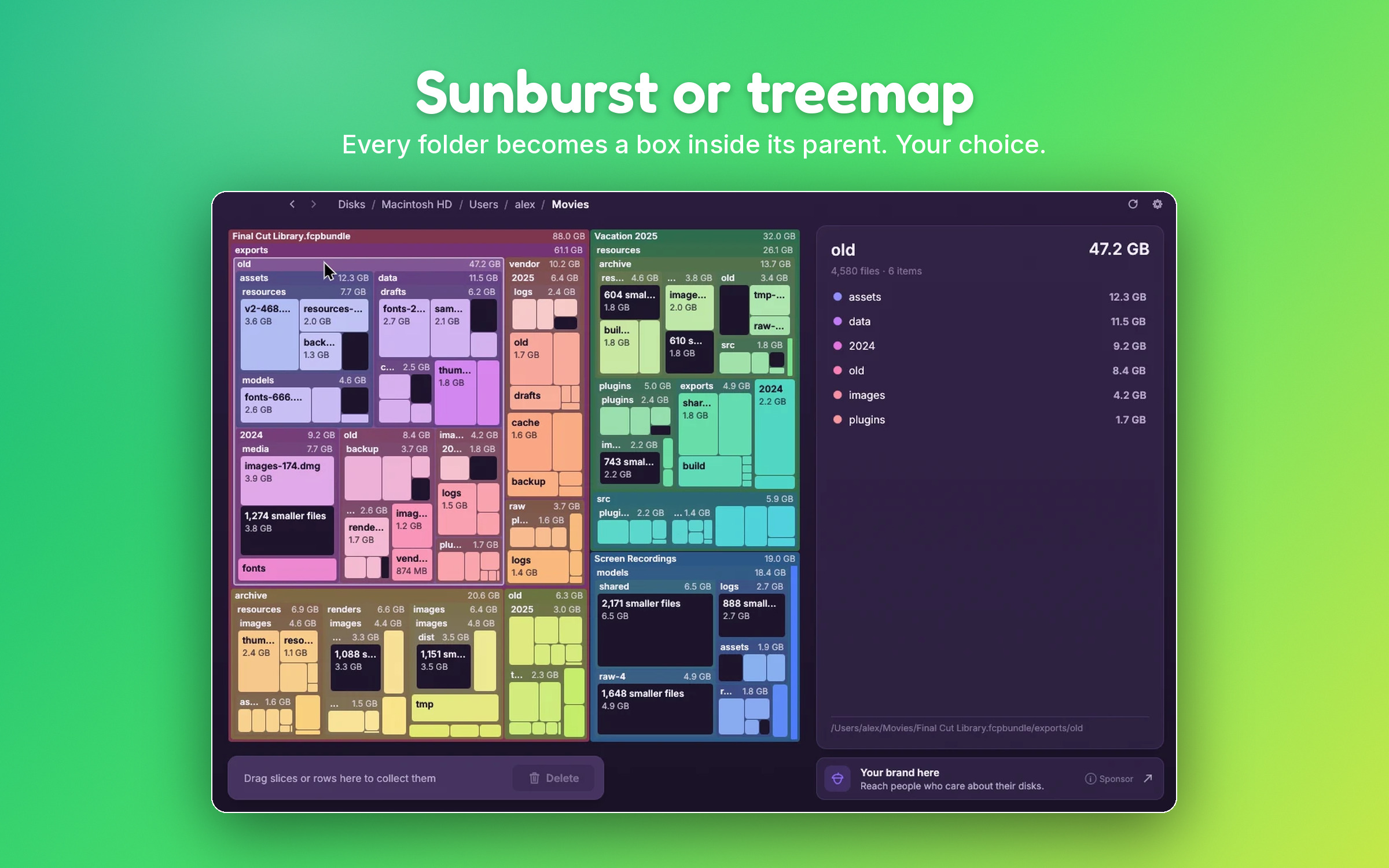
SquirrelDisk shows a bucket or a drive the same way it shows your own disk: an animated sunburst (or treemap) where every folder is a slice sized by the space it takes. Click into the biggest slice, then the next, and in a minute you know what's filling it.
How it works
SquirrelDisk uses rclone, the open-source tool for cloud storage:
- Pick Cloud storage on the home screen.
- Choose an account, or add one. If you don't have rclone yet, SquirrelDisk installs it for you with one click.
- Choose where to start: the whole bucket or drive, or a folder inside it.
- Explore. SquirrelDisk asks rclone for the full file list with sizes and builds the chart as it arrives.
Cleaning up cloud storage
Drag what you don't need into the collector, then choose:
- Delete permanently: removes it from the cloud through rclone.
- Back up, then delete: copies it to a folder on your computer first, then removes it from the cloud.
There's also the other direction: when you clean up your own disk, Cloud backup, then delete uploads the files to a cloud account of your choice before removing them from your computer. It's a simple way to archive old projects or videos instead of losing them.
Good to know
- Sizes are what the service reports. Google Docs and similar native files may show as zero, because they don't count against your quota in the usual way.
- Big buckets are fine, but listing millions of objects takes as long as the provider needs to return them. Starting from a folder is faster.
- Costs: listing is usually free or very cheap, but some S3-compatible providers charge for list requests. Check your provider if you scan very large buckets often.
- Servers: for machines you reach over SSH, see remote servers.
Questions
Which cloud services are supported?
Anything rclone supports: Amazon S3 and S3-compatible storage (Backblaze B2, Cloudflare R2, Wasabi, MinIO…), Google Drive, Dropbox, OneDrive, Box, pCloud, FTP, SFTP, WebDAV and many more.
Do I need to know rclone?
No. If rclone isn't installed, SquirrelDisk installs the official build with one click. You can add, edit and remove accounts for common services right in the app. For unusual providers or options, SquirrelDisk can open rclone's own setup in a terminal.
Where are my cloud accounts stored?
In rclone's configuration file on your computer, as with any rclone setup. SquirrelDisk never sends your accounts or tokens anywhere.
Does scanning download my files?
No. SquirrelDisk only asks the service for the list of files and their sizes. Nothing is downloaded.
Can I delete files in the cloud from SquirrelDisk?
Yes. Collected items are deleted through rclone. You can copy them to a folder on your computer first with the "Back up, then delete" option. Some services keep deleted files in their own trash for a while, so the space may come back later.
Try SquirrelDisk
Free and open source, for macOS, Windows and Linux.
v2.3.1 · macOS · Windows · Linux