
SquirrelDisk for Linux
Disk usage analyzer for Linux with a GUI: SquirrelDisk
A free, open source disk usage analyzer for Linux with a graphical interface. AppImage for x86_64, works on X11 and Wayland.
Updated 28 September 2026
What SquirrelDisk does on Linux
du and ncdu tell you where space goes, one directory at a time. SquirrelDisk shows the whole picture at once. It draws every folder as a slice of a sunburst chart, sized by the space it takes, and the chart builds up live while the scan runs. Click a slice to zoom in, click the centre to go back. The side list shows what is inside, biggest first. Tiny files are grouped so the chart stays readable. There is also a treemap view.
When you find something you don't need, drag it into the collector at the bottom. Then choose: move it to the Trash, delete it for good, back it up to a folder first, or back it up to cloud storage and then delete it. Secure erase is optional. On SSDs and Btrfs the drive may keep old blocks for a while, so LUKS full-disk encryption is what really protects your data there.
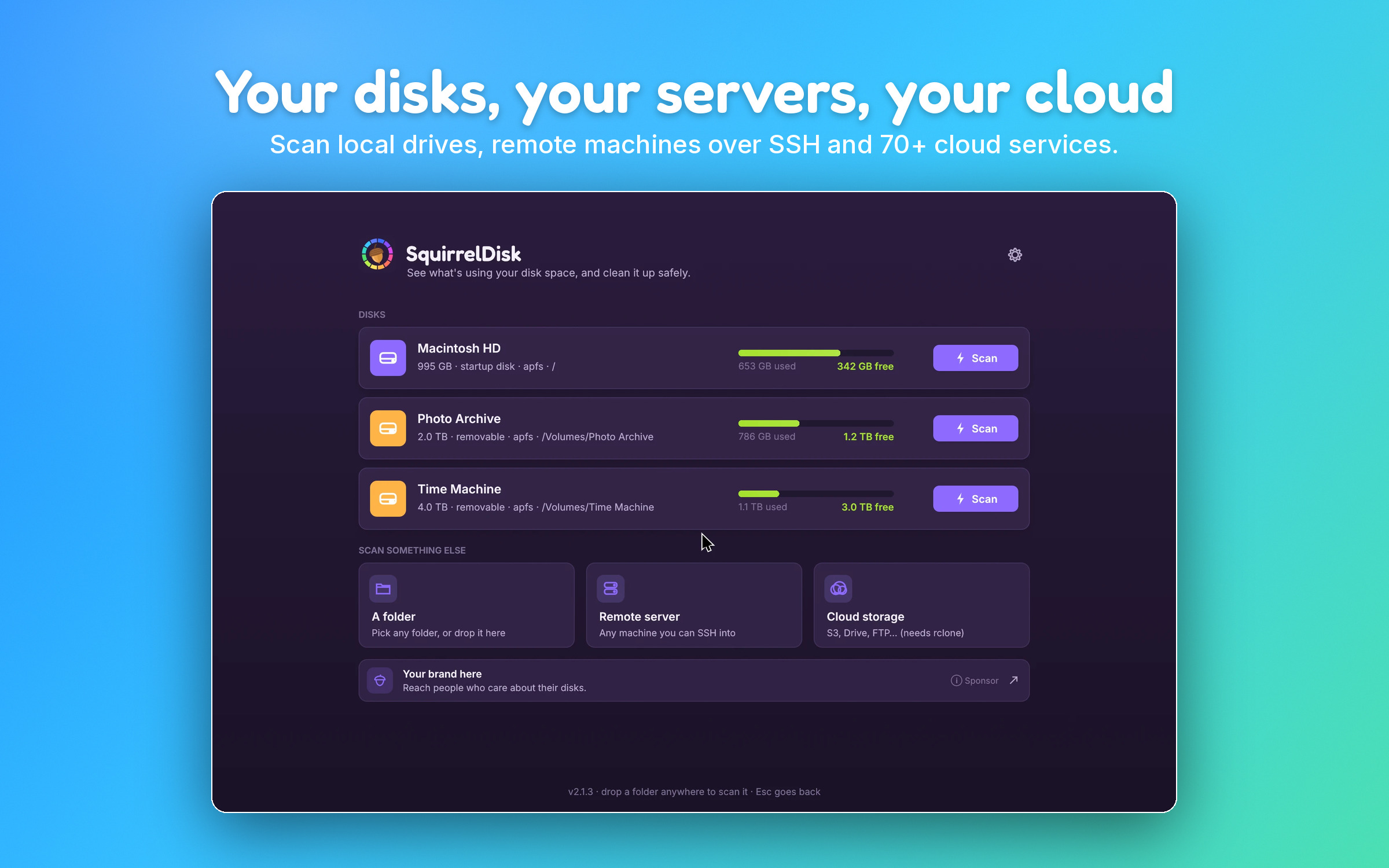
It is a native app written in Rust with egui, not Electron. The chart updates by itself when files change in your file manager. Sizes are real space on disk, and hard links are counted once.
What usually takes up space on Linux
First, the built-in ways. df -h shows how full each file system is. du -sh * | sort -h in a folder lists its contents by size. ncdu is an interactive version for the terminal. Most desktops also include a graphical tool, such as GNOME's Disk Usage Analyzer (Baobab) or KDE's Filelight.
These are the usual space hogs.
/var/log and the systemd journal
Logs grow over time, and the journal can take gigabytes. Check it with journalctl --disk-usage. Shrink it with sudo journalctl --vacuum-size=500M or --vacuum-time=2weeks. To make that permanent, set SystemMaxUse= in /etc/systemd/journald.conf. For other logs in /var/log, logrotate normally handles them; old rotated files (ending in .1, .gz) are usually safe to remove. Don't delete a log file an app is still writing to, because the space isn't freed until the app closes it.
Docker overlay2
/var/lib/docker/overlay2 holds image layers and container file systems. It can grow very large. Never delete files in it by hand. Run docker system df to see the breakdown, and docker system prune to remove stopped containers, unused networks, dangling images and build cache. Add -a to remove all unused images.
Snap and Flatpak runtimes
Snap keeps older revisions of each package. snap list --all shows them; disabled ones are old revisions. You can remove one with sudo snap remove <name> --revision=<number>, and keep fewer in the future with sudo snap set system refresh.retain=2. For Flatpak, flatpak uninstall --unused removes runtimes no app needs any more.
~/.cache
~/.cache holds data apps can rebuild: browser caches, thumbnails, package manager downloads for pip, npm or yarn. Deleting its contents is usually safe. Close the apps first, and expect them to be slower the first time after.
Old kernels
Each installed kernel takes a few hundred megabytes in /boot and /usr/lib/modules. On Debian and Ubuntu, sudo apt autoremove removes old ones and keeps the current and previous kernel. Fedora keeps three by default, set by installonly_limit in /etc/dnf/dnf.conf. Always keep the kernel you are running (uname -r) and at least one older one to fall back to.
Package caches
Your package manager keeps downloaded packages too. sudo apt clean clears the APT cache, sudo dnf clean packages does the same on Fedora, and paccache -r keeps the last three versions on Arch.
Install on Linux
SquirrelDisk runs on x86_64, on X11 and Wayland desktops.
AppImage (recommended, updates itself with delta updates):
- Download
SquirrelDisk-x86_64.AppImage. - Make it executable:
chmod +x SquirrelDisk-x86_64.AppImage, or tick "Allow executing file as program" in your file manager's properties. - Run it.
If it doesn't start, check that FUSE is available on your system (most desktop distributions have it). Without FUSE you can still run it with ./SquirrelDisk-x86_64.AppImage --appimage-extract-and-run.
Archive:
tar -xzf SquirrelDisk-Linux-x86_64.tar.gz
./SquirrelDisk/squirreldisk
You can also build it from source with Rust; the download page lists the packages you need.
It is free and open source (AGPL-3.0), with no account and no analytics. A small sponsor banner inside the app, chosen on your computer, helps keep it free. It comes in 25 languages and 7 colour themes.
Servers and cloud storage
Most Linux disks worth checking are on servers. SquirrelDisk can scan any machine you reach over SSH, without installing anything there. It can also scan S3 buckets, Google Drive, Dropbox, FTP and many more through rclone, which it installs with one click.
How it compares
Baobab and Filelight are good graphical tools, already packaged for most distributions. If one is installed and does what you need, keep using it. ncdu is hard to beat on a server with no desktop. SquirrelDisk adds a cleanup flow with backup options, SSH and cloud scanning, and the same app on Mac and Windows. If you know WinDirStat or DaisyDisk from other systems, SquirrelDisk works in a similar way.
Questions
Which distributions does SquirrelDisk support?
It ships as an AppImage and a .tar.gz for x86_64. Both are meant to run on common desktop distributions, on X11 and Wayland. There is no ARM build yet, and it is not in Flathub, Snap or distribution repositories yet.
How does SquirrelDisk update on Linux?
The AppImage updates itself with delta updates, so it downloads only what changed. You can turn update checks off in Settings.
Can it scan folders owned by root, like /var?
It can only read what your user can read. For folders you don't have access to, the numbers may be incomplete. To check those, sudo du -sh /var/* gives you the totals from the terminal.
Can I delete Docker's overlay2 folder with SquirrelDisk?
Don't. Deleting files in /var/lib/docker by hand can break Docker. Use docker system prune instead, and add --volumes only if you are sure you don't need unused volumes.
Does it work over SSH on a headless server?
Yes, in a way: run SquirrelDisk on your desktop and scan the server over SSH. Nothing needs to be installed on the server.
Try SquirrelDisk
Free and open source, for macOS, Windows and Linux.
v2.3.1 · macOS · Windows · Linux