
SquirrelTemp, SquirrelSetup.log and Squirrel.exe: what they are and how to clean them up
Found a SquirrelTemp folder, Squirrel.exe or SquirrelSetup.log on Windows? They come from the installer used by Discord, Slack, GitHub Desktop and other apps. Here is what each one does, and what you can safely delete.
Published 5 October 2026
If you've been looking through AppData for what's eating your disk, you may have found a folder called SquirrelTemp, a file called SquirrelSetup.log, or a process called Squirrel.exe or Update.exe. None of them is a virus, and you didn't install anything called "Squirrel" on purpose. They come from Squirrel.Windows, an open source installer that many desktop apps use to install and update themselves.
Quick answers:
- SquirrelTemp: temporary installer files and the setup log. Safe to delete when no app is installing or updating.
- SquirrelSetup.log: the installer's log. Useful when an install fails, otherwise safe to delete.
- Squirrel.exe / Update.exe: the updater of an app such as Discord. Don't delete it by hand; uninstall the app instead.
What is Squirrel.Windows?
Squirrel.Windows is a free, open source framework (MIT license) for installing and updating Windows desktop apps. It's popular with apps built on Electron, because it installs without asking for administrator rights and updates in the background.
You'll find it in apps such as Discord and GitHub Desktop, the per-user installer of Slack, the old "classic" Microsoft Teams, and many smaller Electron apps.
Squirrel installs each app inside your user profile, not in Program Files. That's why everything lives under %LocalAppData%, which usually means C:\Users\<your name>\AppData\Local.
It has nothing to do with SquirrelDisk. SquirrelDisk is a disk space analyzer that happens to share the name. It doesn't use Squirrel.Windows and doesn't create any of these files. But it's a good tool for finding out how big they are, as you'll see below.
The files, one by one
SquirrelTemp
%LocalAppData%\SquirrelTemp
Squirrel's Setup.exe uses this folder while it installs an app. It unpacks files here, then moves them to the app's own folder. When everything goes well, the folder ends up nearly empty, except for the log.
Can I delete it? Yes, as long as nothing is installing or updating. Close Discord, Slack and other apps from the system tray first. The folder comes back the next time an app installs or updates, and that's normal.
SquirrelSetup.log
%LocalAppData%\SquirrelTemp\SquirrelSetup.log
A text log written by the installer. When Discord shows "Installation has failed", this is the file it points you to. Open it in Notepad and look at the last lines: the error usually names a file that was in use or couldn't be written.
Can I delete it? Yes. It's only a log.
Update.exe and Squirrel.exe
%LocalAppData%\<App name>\Update.exe
Update.exe is the heart of Squirrel. It installs, updates and uninstalls the app, and launches it from the Start menu shortcut. Inside each app-x.y.z version folder you may also find Squirrel.exe, a copy the app uses to talk to the updater. When Task Manager shows Update.exe or Squirrel.exe running for a moment, an app is usually checking for updates.
Can I delete it? Don't delete it on its own: the app will stop starting or updating. If you don't use the app, uninstall it from Settings → Apps → Installed apps.
Is it a virus? A real copy sits inside the folder of an app you recognize, such as %LocalAppData%\Discord\Update.exe. Right-click it, choose Properties → Digital Signatures, and you'll usually see the app's publisher. Security researchers have shown that Squirrel's updater can be misused to launch other programs, so treat a Squirrel.exe or Update.exe in an odd place, like Temp or Downloads, with suspicion and scan it.
packages and app-x.y.z folders
%LocalAppData%\<App name>\packages
%LocalAppData%\<App name>\app-1.0.9218
Each Squirrel app keeps its versions in app-x.y.z folders, and the update packages it downloaded (.nupkg files, full or "delta") in packages. Squirrel's documentation describes this layout. Old versions are normally cleaned up after an update, but leftovers can pile up, especially when an update fails halfway.
Can I delete them? Leave the newest app-x.y.z folder alone. If you see several old versions and the app is closed, you can remove the older ones. If the app misbehaves afterwards, reinstall it.
SquirrelMachineInstalls
You may see this name on PCs where an app was installed for all users with an MSI package, as companies often do. In that mode, the MSI keeps an installer on the machine that sets up the app for each person when they sign in. See Squirrel's notes on machine-wide installs.
Can I delete it? Not while the app is still installed for all users. Uninstall the app from Settings first. On a work computer, ask your IT team.
How much space do they take?
SquirrelTemp itself is usually small. The space goes into the apps' own folders, with their version folders and packages. Discord, Slack and similar apps often take a few hundred megabytes each, more if old versions were left behind.
The quickest way to see it is a disk space analyzer. With SquirrelDisk, which is free:
- On the home screen, click A folder and paste
%LocalAppData%into the address bar of the folder dialog. From a terminal,squirreldisk %LocalAppData%does the same. - The chart shows every app folder by size. Click a slice to look inside, for example
Discord, and you'll see eachapp-x.y.zfolder andpackages. - Drag what you want to remove into the collector, and choose Move to Trash, which on Windows means the Recycle Bin. You can still restore it if something breaks.
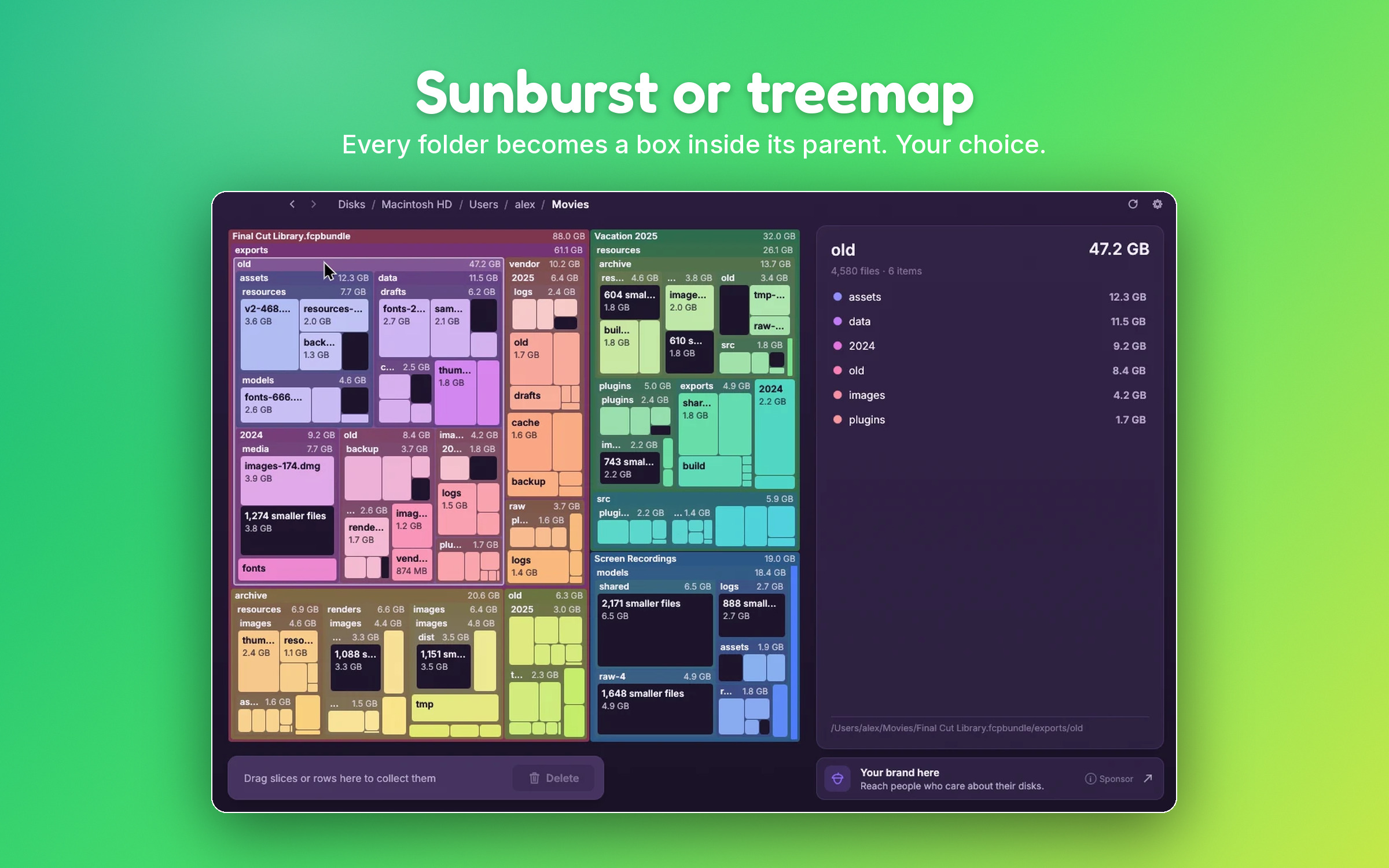
SquirrelDisk asks for an extra confirmation before deleting anything inside AppData, and it never lets you delete the AppData folder itself. If you prefer a list, WinDirStat and WizTree work well too.
Cleaning up safely
- Close the apps. Quit Discord, Slack, Teams and similar apps from the system tray, not just the window.
- Delete SquirrelTemp and its log if you want. It's safe.
- Uninstall apps you don't use from Settings → Apps → Installed apps. That removes their Squirrel folder, packages and all.
- Reinstall broken apps cleanly. For Discord: uninstall it, delete
%LocalAppData%\Discordand%AppData%\discord, restart, and install it again.
Built-in Windows tools help too. Settings → System → Storage → Temporary files clears the general Temp folder, and Storage Sense can do it on a schedule. They don't touch the apps' version folders, which is where an analyzer helps.
Questions
Is Squirrel.exe a virus?
Normally not. Squirrel.exe and Update.exe are part of Squirrel.Windows, the open source installer used by apps like Discord and GitHub Desktop. A real copy lives in %LocalAppData%\<App name> and is usually signed by the app's publisher. If you find one somewhere else, or with no app you recognize, scan it with your antivirus.
Can I delete the SquirrelTemp folder?
Yes, when no app is installing or updating. Close Discord, Slack and similar apps first. SquirrelTemp only holds temporary installer files and the setup log, and it is created again the next time an app installs or updates.
Where is SquirrelSetup.log?
In %LocalAppData%\SquirrelTemp\SquirrelSetup.log, usually C:\Users\<your name>\AppData\Local\SquirrelTemp. Paste %LocalAppData%\SquirrelTemp into the File Explorer address bar to open it.
What does "Installation has failed" with SquirrelSetup.log mean in Discord?
The installer couldn't finish, most often because Discord files were still in use. Close Discord from the system tray, end any Discord processes in Task Manager, delete %LocalAppData%\Discord and %AppData%\discord, then run the installer again. The log tells you which file caused the error.
Is Squirrel related to SquirrelDisk?
No. Squirrel.Windows is an installer framework. SquirrelDisk is a disk space analyzer that happens to share the animal. SquirrelDisk doesn't use Squirrel.Windows and doesn't create these folders.
Why does SquirrelTemp keep coming back?
Because apps that use Squirrel create it every time they install or update. That's normal. It's usually small, so there is no need to delete it often.
Try SquirrelDisk
Free and open source, for macOS, Windows and Linux.
v2.5.0 · macOS · Windows · Linux